Bulk Image Background Remover
Remove backgrounds from up to 50 images in one batch. Preview each cutout, then download transparent PNGs individually or together in a ZIP.
Choose images for your batch
Sign in with a verified account to select your images.
1–50 images · JPEG, PNG, WebP, GIF, AVIF · Up to 10 MiB each
1 credit per image. The full batch is charged when accepted; credits for failed images are returned individually.
See the background removal results
Compare the original images with actual outputs from our image background remover. Check edges, fine details and spaces within the subject before processing a larger set.
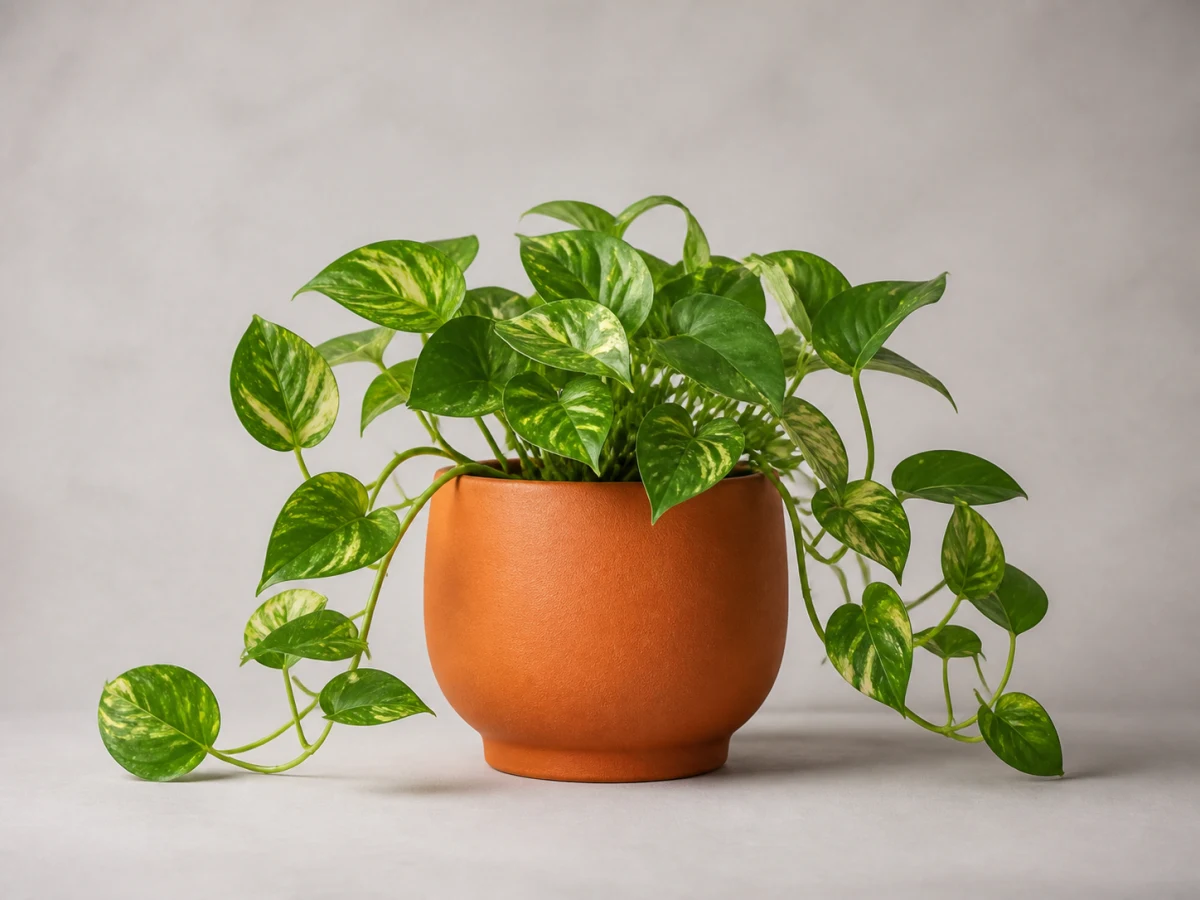
Original image
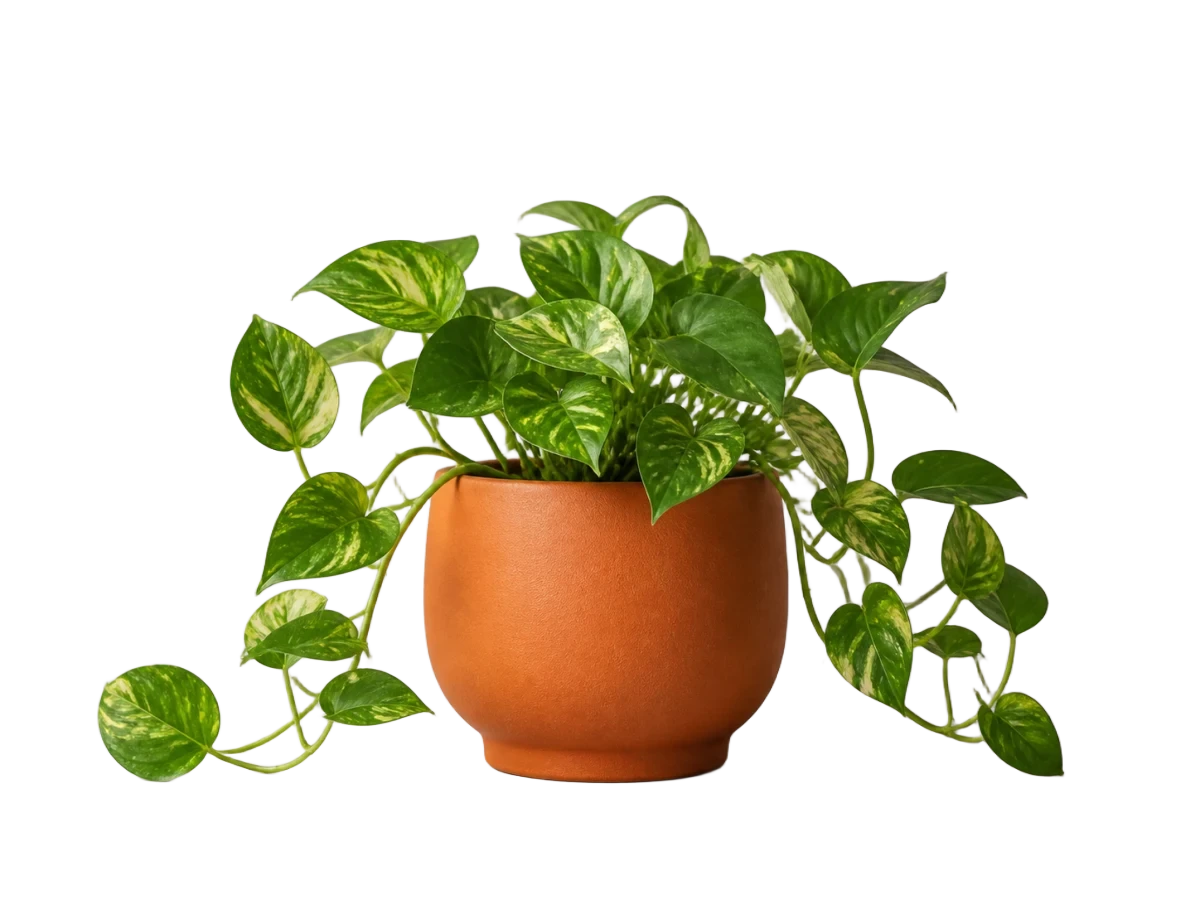
Transparent result
Check the leaf edges, thin stems and spaces between the leaves.
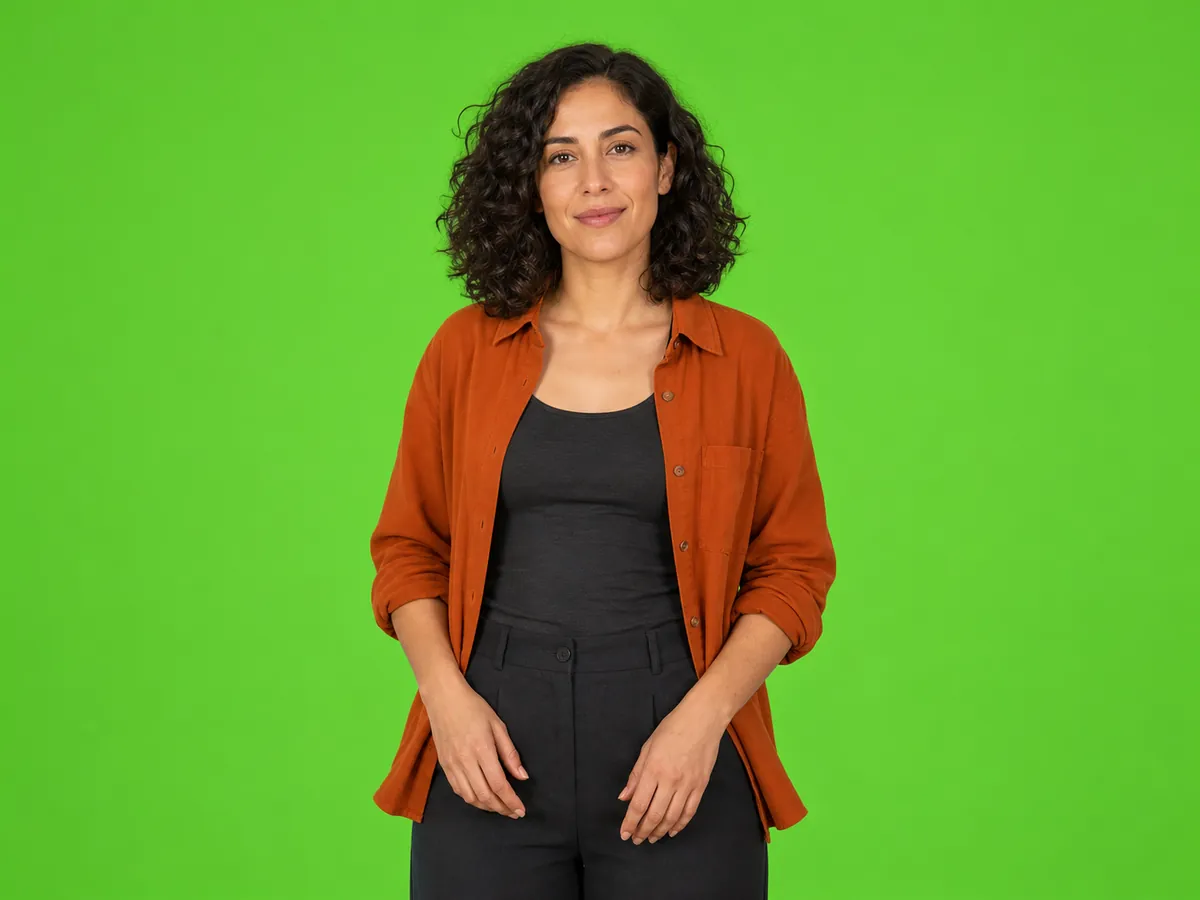
Original image
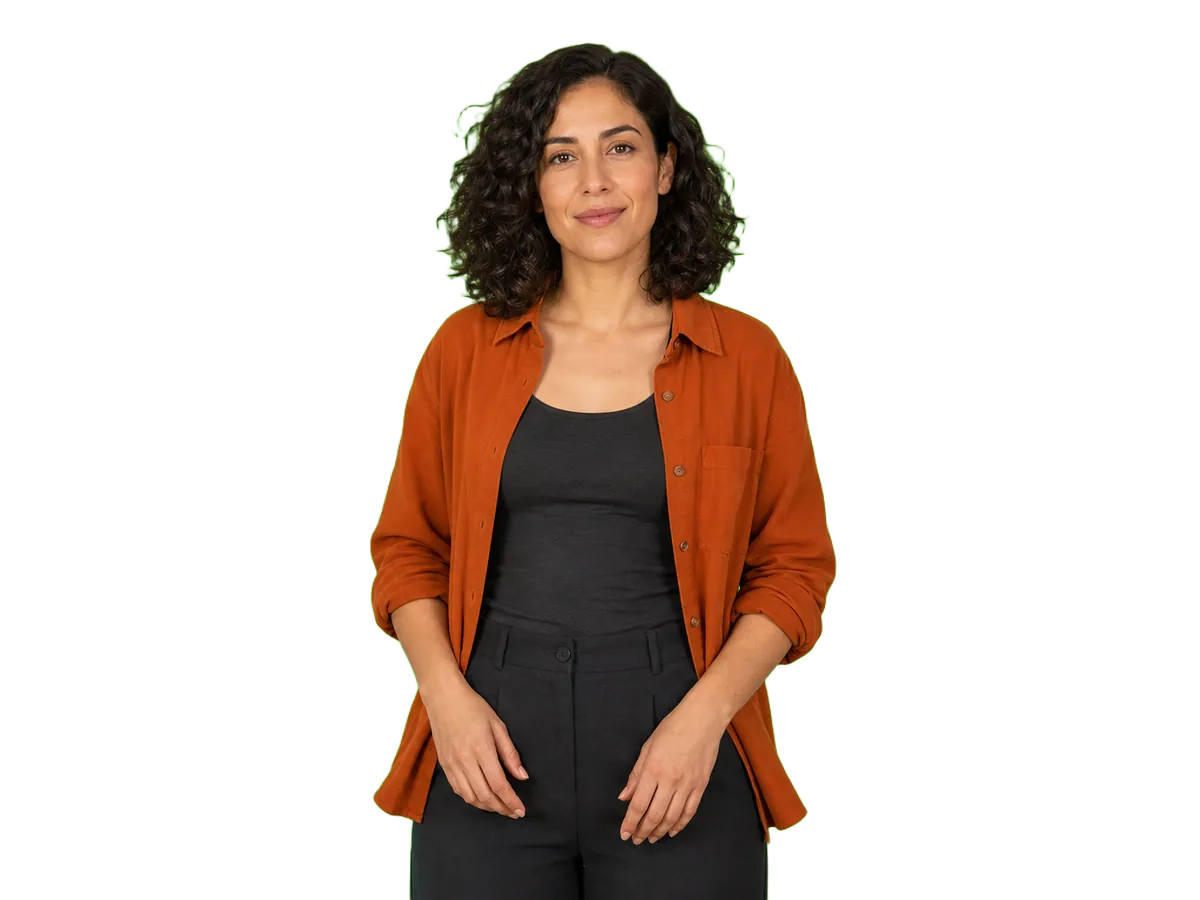
Transparent result
Inspect the hair and shoulder edges in the transparent result.
Demonstration images owned by this site. The background-removal results are shown without manual retouching.
1. Choose multiple images
- plant.webp
- studio.webp
2. Review individual results
plant.webp
Completed
studio.webp
Completed
3. Download numbered PNGs together
ZIP
- 001-plant-background-removed.png
- 002-studio-background-removed.png
How to remove backgrounds from multiple images
Choose your images
Sign in with a verified account and select up to 50 images. Review the file list and remove any unsupported or oversized files.
Confirm the cost and start
Check the total credits and your available balance, then start processing. Keep the page open until uploads finish and your batch is accepted.
Review each result
Follow the status of each image and open completed previews. Check the cutouts before using them in your project.
Download your cutouts
Save individual transparent PNGs or download the available results together in a ZIP. Numbered filenames help you match the outputs to your original selection.
Keep a whole batch organized
Track every image
See which images are queued, processing, completed or failed without opening a separate task for each file.
Inspect individual cutouts
Open completed previews to check the details that matter before downloading or publishing your images.
Retry eligible failures
After the current run finishes and refunds are confirmed, retry eligible failed images whose uploads are still available. Successful results stay in your batch.
Match outputs to originals
Downloaded filenames include sequence numbers and recognizable original names, making it easier to identify each cutout.
Built for images you use together
Product photo collections
Prepare transparent product cutouts for catalogs, store layouts and promotional designs. Place the downloaded images into your preferred editor or publishing workflow.
Portrait collections
Process a set of team photos or speaker portraits in one place. Review hair and clothing edges individually before adding the cutouts to your layouts.
Design asset collections
Gather separate objects for presentations, social posts and compositions, then download the available cutouts together.
Pricing, file limits and privacy
Know the cost before you start
Each image processing attempt costs 1 credit. The total is shown before you start, and the full batch is charged when accepted. Credits for failed images are returned individually.
For example, a batch of 30 images uses 30 credits. If 2 images fail, 2 credits are returned, leaving a net cost of 28 credits for that run.
Retrying a failed image starts a new attempt costing 1 credit. That credit is returned if the new attempt fails. Uploading, previewing, reopening a batch and downloading do not use additional credits.
New accounts receive 5 signup credits. Your remaining signup credits can be used for bulk image processing.
One-time credit packs start at $5.99 for 60 credits, with no subscription.
View credit packs| Item | Supported |
|---|---|
| Images per batch | 1–50 |
| Input formats | JPEG, PNG, WebP, GIF, AVIF |
| Maximum file size | 10 MiB per image; empty files are not accepted |
| Output | Transparent PNG |
| Download options | Individual PNGs or a ZIP of available results |
| Active batches | 1 per account |
| GIF input | Produces a static PNG; animation is not preserved |
| Editing options | Background recoloring, cropping and manual retouching are not included |
Understand how your files are handled
Your images are uploaded for processing by an external image-processing service. Sign in to your verified account to reopen your batches and download results.
On our service, uploaded files have a 7-day availability window from upload, and saved results have a 7-day window from creation. Download the files you want to keep before they expire. Downloading again does not extend these windows.
Bulk background removal FAQs
Can I leave the page while my images are processing?
Yes, after all uploads have finished and your batch has been accepted. Reopen the batch link or find it in Recent batches. Keep the page open while uploading and submitting; unsubmitted selections are lost on refresh.
How do I process more than 50 images?
Split your collection into batches of 50 images or fewer. One batch can be active per account, so wait for the current batch to finish before starting the next.
What happens if only some images fail?
Successful results remain available for download. Once the current run finishes and refunds are confirmed, you can retry eligible failed images whose original uploads are still available. Each retry is a new processing attempt.
Why does my ZIP contain fewer images than I selected?
The ZIP contains the available successful results included in the download count. Failed, unfinished, expired or unavailable results are excluded. Check the image statuses and refresh the batch before downloading again.
Can I add more images after a batch has started?
Choose all the images for a batch before submitting it. To process additional files, start another batch after the current one finishes.
What should I do if my files have expired?
Select the original files again and submit a new batch. Expired results cannot be restored by refreshing the page, and downloading a file does not extend its availability.
Tools and guides for your next step
Use the single-image workspace when you only need one cutout.
Open the dedicated GIF tool when your output needs to preserve animation.
Learn how selections and masks can help you refine edges and export a transparent PNG.
Choose a method that removes the surrounding background while protecting white details inside the artwork.
Start your next batch
Choose up to 50 images, check the total credits and start processing. Review your cutouts, then download the available results together.
Choose images