AI Watermark Remover

Remove text and logo watermarks from images with AI. Choose a JPG, PNG, or WebP, check the result, and download a PNG.

Drag and drop your image here

JPG, PNG, or WebP · Up to 10 MiB

Processing this image costs 2 credits.

Choose your image before signing in. A verified account is required to process it. Downloads cost no additional credits.

See Watermark Removal Results

Compare the original image with its AI-processed result. Check the watermark area, surrounding textures, and any details you want to keep.

Text watermark and corner logo
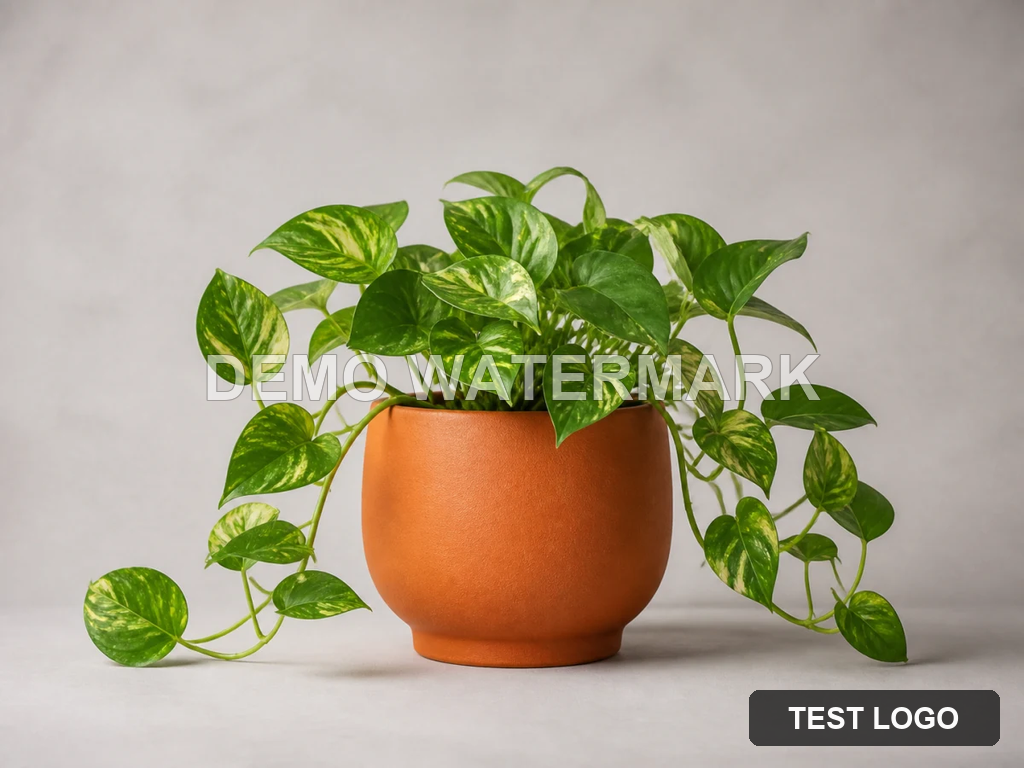

Original · 1024 × 768
Potted plant with a translucent text watermark and a dark corner logo overlay
AI Result · 1184 × 880
AI-processed potted plant with the text watermark and corner logo removed

The text and corner logo are removed. Leaf and pot textures change in the reconstructed result.

Repeated text across a portrait

Original · 1024 × 768
Portrait with repeated diagonal text watermarks across the person and green background
AI Result · 1184 × 880
AI-processed portrait with the repeated text watermarks removed

The repeated text is removed. Facial, hair, and clothing details differ from the original.

How to Remove a Watermark from an Image

  1. 1

    Choose your image

    Select a JPG, PNG, or WebP and preview it before signing in.

  2. 2

    Sign in and start processing

    Click Remove Watermark. If prompted, sign in, then click again to start the 2-credit task.

  3. 3

    Check the result

    Compare the output with your original image and inspect the repaired areas.

  4. 4

    Download your PNG

    Save the result before its download window expires.

Clean Up Watermarks on Your Photos

Text and logo overlays

Target overlaid text and logo watermarks in images you want to reuse.

No manual selection required

Start processing from your uploaded image without drawing a mask or writing a prompt.

Review before reuse

Inspect the result before adding it to a presentation, product listing, or social post. Pay attention to fine textures and existing text.

Credits, Image Limits, and File Privacy

Each processing attempt costs 2 credits from your account balance. Previewing and downloading the result do not cost additional credits. If processing fails after credits are deducted, those credits are returned. Processing the image again starts a new paid task.

Input
One JPG, PNG, or WebP, up to 10 MiB
Output
One static PNG
Account
Sign-in and a verified email are required for processing
Image quality
AI may change fine details and output dimensions
Input availability
7 days from upload
Result availability
7 days from saving

Selected images stay in your browser until you start processing after signing in. Processing uses an external AI service. Uploaded files and results are stored privately; authorized administrators may access them for operations and support. Files are scheduled for cleanup after their availability period ends.

Download any result you want to keep before it expires. These file availability periods apply to our service; external processing services and account records have separate retention policies.

Pricing and CreditsPrivacy PolicyTerms of Service

AI Watermark Remover FAQs

Image Background Remover

Remove the background around a subject and create a transparent PNG.

Remove Color from Image

Make a selected color transparent using a browser-based tool.

Pricing and Credits

Compare credit packs for your next processing task.

Start with Your Watermarked Image

Choose an image and preview it before signing in. Processing costs 2 credits per attempt.

Choose an Image